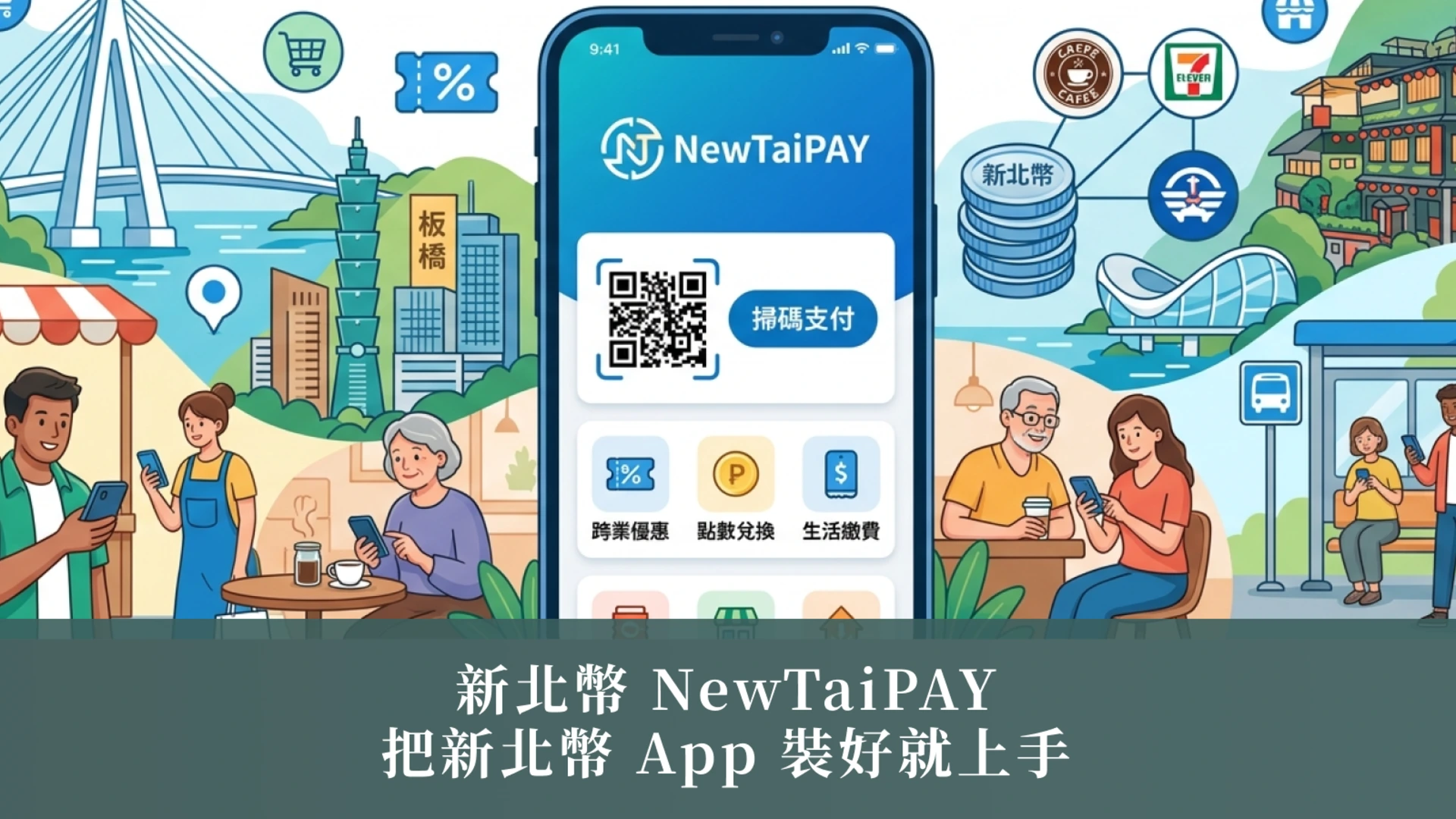
NewTaiPAY: Install the app, get your account, and pay in stores—no guesswork.

NewTaiPAY: Install the app, get your account, and pay in stores—no guesswork.
Seeing an event that says "Give away New Taipei Coins" but don't know how to use them? Actually, first install the New Taipei Coin App, complete the membership and wallet activation, and you can go to the event area to collect points, scan the code on-site to receive coupons, or have the received serial numbers credited to your account immediately. Then, go to participating stores to checkout and scan the code to complete the use of New Taipei Coins. Below is a summary in everyday language of how to get New Taipei Coins, how to check participating stores, and how to get expiration reminders.
What is New Taipei Dollar? | Understand your positioning first, then you'll know what you're using.
Many people ask "What can I do with New Taipei Dollars?" when they first encounter it. Actually, it's more like activity reward points: accumulated according to the activity rules, you can redeem them for purchases at participating stores. Starting from January 10, 2016, the NewTaiPAY function will be integrated into the "My New Taipei City" App; you can log in using your original account and password.
You can think of it as a "city version of points": it's not cryptocurrency for investment, but a reward you can get by completing tasks and use it to offset rewards.
The common concept of a discount is that 1 point is approximately equivalent to 1 yuan, but the specific details are subject to the announcements of each promotion .
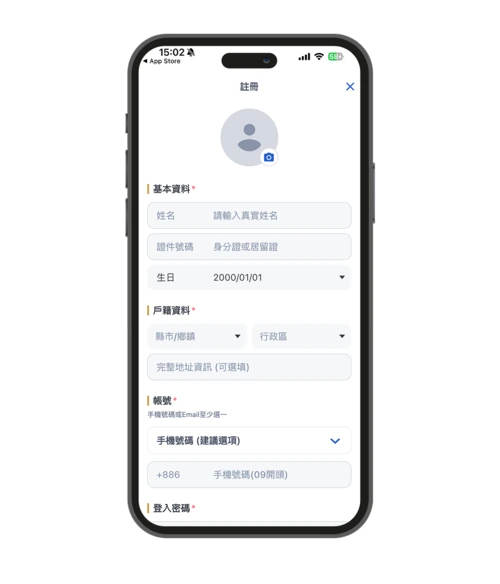
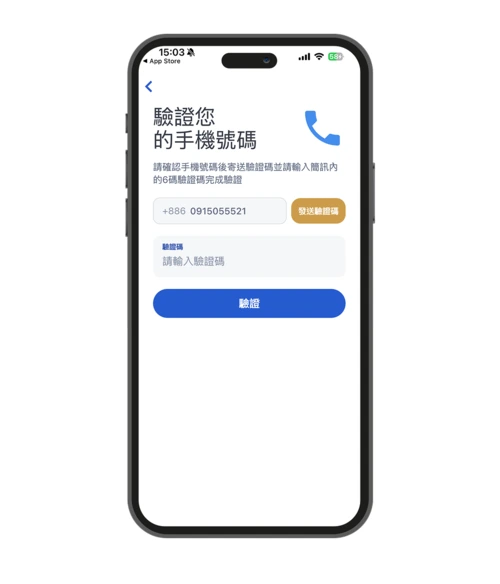
👉Go to the "My New Taipei City" App download page
How to get New Taipei Dollars | Three ways: Tasks, on-site QR code scanning, and serial number deposit.
First, set up your membership profile and wallet. Then, the New Taipei Coin App will become your entry point for earning points. Next, go to the activity section, select tasks, and complete them according to the rules to receive points or coupons.
- Municipal interactive tasks: Complete voting, questionnaires or interactive tasks on the designated platform to qualify for rewards according to the rules.
- Scan the QR code at the event service desk or designated booth to receive points/coupons (limited per person, quantity limited).
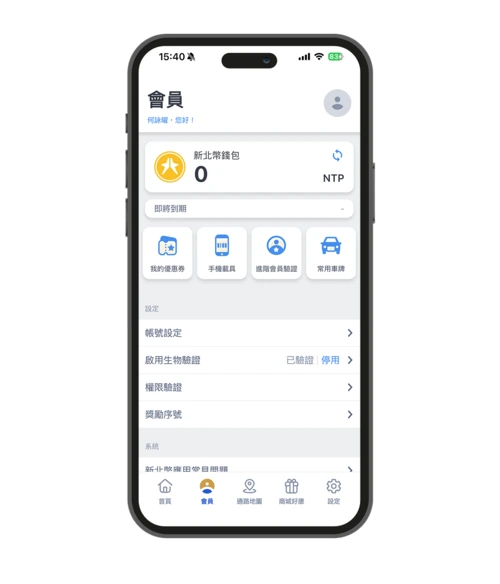
- Once you receive the serial number, it will be credited to your account: After receiving the reward serial number, go to "Settings → Reward Serial Number" in the App to scan or enter the code, and it will be credited to your wallet after you send it.
A friendly reminder:
- Before starting any task, read through the entire event page, paying particular attention to the duration, available slots/tiers, and expiration date.
- Please read carefully: the event period, collection time, number of slots/tiers, and validity period.
- If the announcement says "Subject to the event page" or "While supplies last," treat it as a countdown.
👉Go to the NewTaiPAY event section to view the tasks.
New Taipei City Coin Event | Understand these three sections first: Duration, Quota, and Usage Restrictions
Want to quickly determine how to get New Taipei Dollars and whether it's worth the time? I suggest you first spend 10 seconds scanning the "Period, Quota, Restrictions" section on the event page. Choose channels and locations where you'll actually spend your money, so you don't end up with points you can't use.
The event page usually clearly states:
- Event Period/Collection Time: Some events are only open during specific time periods.
- Completion thresholds: Do I need to verify my phone number? How many questions do I need to answer? Do I need to be present at the designated time?
- Usage restrictions: Limited to participating stores, limited items, or limited discount limit.
👉Check out the latest NewTaiPAY events
How to use New Taipei Dollar | Exchange process and two checkout methods
The biggest fear when redeeming points for the first time is getting stuck on "Where is the function?". After opening the New Taipei Dollar App, first credit your points/coupons, then follow the checkout instructions. Below is the process; you'll get it after one try.
A. First, credit the reward to your account (serial number/QR code).
To receive points/coupons: Go to "Settings → Reward Code", scan the QR code or enter the code, and the points/coupons will be credited to your wallet after sending.
B. Two payment methods at the store
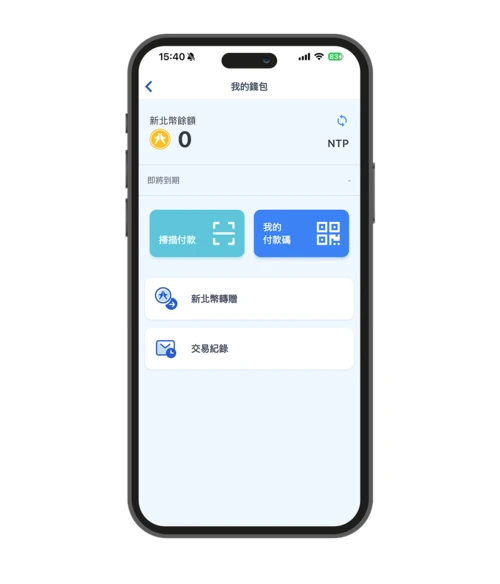
- Scan to pay: Scan the merchant's QR code → Enter the amount → Select discount/payment → Confirm and complete.
- My payment code: Show your payment code to the merchant to scan → Enter your wallet password → Complete the transaction.
C. How to use coupons/partner vouchers
- Some promotions offer coupons or designated partner vouchers. It is recommended to check the participating merchants and expiry dates after receiving the vouchers before deciding when to use them.
Common limitations:
The four major convenience store chains usually accept discounts, but items such as cash on delivery, taxes, tuition fees, donations, and store-to-store logistics fees are generally not eligible for discounts; other items are subject to the channel's regulations.
Merchants that accept New Taipei Dollar | Merchant Map: Find nearby stores that accept it in 30 seconds
The easiest way is to first use the official merchant map to filter by "nearby" and "category you want to buy". Save 2-3 stores as backups before you go out, and the route will be much easier to navigate.
- Open the business map and select the region first (e.g., Banqiao, Danshui, Sanchong).
- Then select a category (food, lifestyle, transportation, etc.), or search for the store name directly using keywords.
- Go to the store's page to confirm: whether it's eligible for a discount, whether there are any restrictions on items, and its business hours, before you go.
👉 Go to view the New Taipei City Merchant Map
NewTaiPAY (New Taipei Coin) | Frequently Asked Questions
Q1. Where can I use New Taipei Dollar?
Please refer to the official merchant map and the partner channels in the announcements of various activities; if it is a convenience store, please pay special attention to items that are not supported, such as collection and payment on behalf of others.
Q2. Where can I exchange New Taipei Dollars (and deposit them)?
Whether you receive a serial number or scan a QR code on-site depends on the event: For serial numbers, enter/scan them in "Settings → Reward Serial Number"; for in-person events, follow the on-site instructions to scan the reward code to claim your reward.
Q3. When does the redemption period end?
There is no fixed date; the expiration date depends on the announcement of each event/coupon. It is recommended to check the event page or wallet immediately after receiving the coupon.
To use New Taipei City dollars just right, first select the ones you'll need before going out to spend them.
To use your points wisely, first complete the membership, phone verification, and wallet activation on the New Taipei Coin App. Then, choose a task from the activity section that you'll actually participate in. Still wondering what to do with New Taipei Coins? Save the merchant map and check nearby participating stores before you go out. Follow the checkout process to use your New Taipei Coins, and finally confirm the expiration date and unsupported projects to avoid wasting your time.