
2026 Party Games: 10 Must-Have Multiplayer Tools—Play Truth or Dare + Spin the Prize Wheel Online

2026 Party Games: 10 Must-Have Multiplayer Tools—Play Truth or Dare + Spin the Prize Wheel Online
When searching for party games, the most common scenario is that as the number of people increases, things easily get stuck because the rules can't be explained clearly and there's not enough time to prepare the props. What was intended as a lively atmosphere ends up with everyone glued to their phones. This is especially true for last-minute gatherings where there's rarely time for careful setup. In these situations, the best tools are usually online Truth or Dare games that are ready to play immediately, or online prize wheels that quickly determine the order of play, getting the first round lively. This article compiles practical online Truth or Dare wheels, grouping tools, prize wheels, and bingo tools, focusing on speed, intuitiveness, and the ability to prevent awkward silences. Following these guidelines will make party games much smoother and more fun party games easier to play.
Online Truth or Dare | Warm up the party by following the rules and intuition.
Truth or Dare has always been the most reliable icebreaker among party games because the rules are simple, the barrier to entry is low, and you can start as soon as you open the page. If you don't want to come up with truth or dare questions yourself, this part will save a lot of time. Especially when your friends have just sat down and the atmosphere hasn't warmed up yet, starting the first round with a roulette wheel or a question bank is usually the most effective.
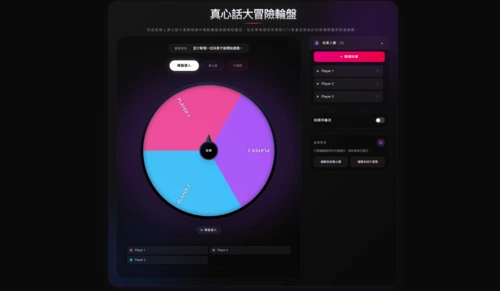
Truth or Dare Roulette | Lovegame
At the beginning of a gathering, the most common situation is that everyone is still looking at each other, and the first round is delayed. This roulette game, which allows players to add their names, can naturally call out names and quickly get the party moving.
Operating steps
- After opening the page, add players first.
- Confirm the number of participants and the order of rotation.
- Press the wheel to draw the player for this round.
- Choose between "Truth" and "Dare".
- Answer the questions or complete the tasks.
Who is it suitable for?
It is more suitable for gatherings among acquaintances, couples, or parties that can tolerate a high level of interaction.
Precautions
- Before starting, it is recommended to filter out topics that are not suitable for the occasion and to clarify the appropriate level of intimacy. It is also advisable to confirm the age and tolerance of the participants beforehand.
- If the boundaries aren't clearly defined beforehand, and the first question is too intense, the atmosphere can easily get tense instantly.
👉 Head to the online truth or dare game: Lovegame Truth or Dare Roulette
Truth or Dare Game | MiniWebtool Random Truth or Dare Generator

When you suddenly want to play Truth or Dare, the biggest problem is usually not having enough questions, or no one wanting to come up with questions on the spot. These kinds of random question banks can provide content directly, making them especially suitable for party situations where you need to quickly warm up the atmosphere.
Operating steps
- Open the tools page.
- Choose Truth / Dare / Both.
- Choose the difficulty level of the questions.
- Press to produce the result.
- The content displayed on the screen will be performed in turn.
Who is it suitable for?
For hosts or party organizers who want to get started quickly and don't want to prepare their own question bank.
Precautions
- This tool has 60+ Truth and 60+ Dare, and offers Mild/Medium/Spcy difficulty levels. You can also add custom questions.
- I didn't read the question's scope beforehand, and the content I drew didn't fit the atmosphere of the event.
👉 Head to the online truth or dare game: MiniWebtool Random Truth or Dare Generator
SpinTheWheel Truth or Dare Game
To make Truth or Dare more engaging, a roulette-style format is usually more attention-grabbing than a simple question bank. As the wheel spins, the overall pace becomes more focused, and the atmosphere is more easily created.
Operating steps:
- Open the page.
- Simply rotate the wheel.
- Draw a question or challenge.
- Delete inappropriate content as appropriate.
- Adjust the topic according to the guests before starting.
Who is it suitable for?
Users who want to make online truth or dare games more visually appealing and more like a formal party interactive game.
Precautions
- This page lets you start playing immediately, with three roulette wheels for players, Truth, and Dare, perfect for parties that want to make the game more exciting.
- The roulette wheel was lively, but the questions weren't organized, which slowed down the pace of the game.
👉 Head to the online truth or dare game: SpinTheWheel Truth or Dare Game
A lottery roulette wheel and grouping tool solve everything in one go | No more getting stuck at parties, quickly draw people, draw prizes, and divide into teams – super time-saving!
When there are many people, the real waste of time is often not the game itself, but rather who goes first, how to draw lots, and how to fairly divide people into teams. This section discusses random roulette, random lottery roulette, and grouping tools together because these are the three things most needed at most gatherings. Simply pasting a list on the table allows for quick completion of drawing lots, drawing prizes, or dividing people into teams, eliminating the need to write notes by hand on the spot.
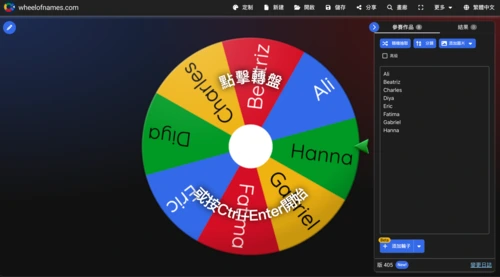
Online lucky draw | Wheel of Names
With a large number of people, deciding who goes first and who goes on stage can easily slow down the entire process. This kind of roulette wheel is perfect for drawing names, drawing order, or drawing names to exchange gifts, saving time on handwritten slips and on-the-spot arrangements.
Operating steps
- Paste the list into the input box.
- Click the wheel to start spinning.
- Waiting for the results.
- Adjust colors or sound effects as needed.
- Continue to the next round of selection.
Who is it suitable for?
Gift exchange, lucky draw, drawing the order of appearance, class interaction.
Precautions
This tool allows you to enter a name and spin the wheel directly, and you can also customize its appearance and save and share the wheel.
The list format wasn't organized properly, and if you draw an empty project from the roulette wheel, it will be a bit embarrassing on stage.
👉 Go to online group: Wheel of Names
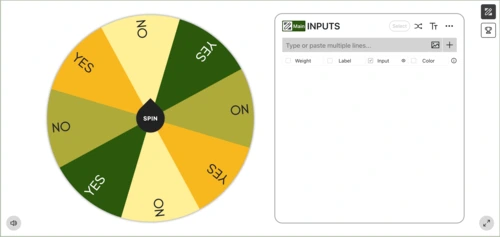
Online lucky draw | Picker Wheel
This tool is more useful if it involves more complex selection processes than simply drawing a single result, such as elimination, cumulative selection, or selection based on different conditions. It offers greater flexibility and is better suited for events with more complete processes.
Operating steps
- Enter text or image options.
- Enable Weight / Label / Color as needed.
- Select mode.
- Start rotating.
- The next round will proceed according to the pattern.
Who is it suitable for?
Hosts, community editors, and event planners require stronger process control.
Precautions
- This tool allows you to enable Weight, Label, and Color, and also offers different action modes, making it more flexible than a simple spinning wheel.
- The model wasn't planned in advance, and the selection results didn't connect with the originally designed gameplay.
👉 Go to the online group: Picker Wheel
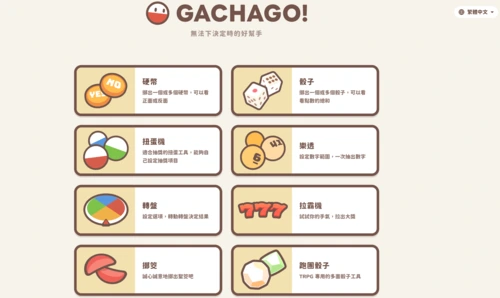
Online lucky draw | GACHAGO!!
To make raffles or giveaways feel more party-like, these visual tools are usually more eye-catching than a regular list wheel. They're especially effective when used in events, live streams, or gift exchanges, creating a more cohesive visual experience.
Operating steps
- After entering the website, select a mode.
- Depending on the situation, switch to gashapon, roulette, dice, or other lottery games.
- Enter the list or awards.
- Start extraction.
- The results can be published directly or the footage can be shared.
Who is it suitable for?
Users who want to make live-streaming events, merchant raffles, gift exchanges, and more like a show.
Precautions
- In addition to the spinning wheel, this website also offers gashapon machines, dice, lotto, slot machines, divination blocks, and role-playing dice games, making it suitable for occasions where you want to make the lottery more visually appealing.
- The awards weren't organized beforehand, the scene was lively, but the results were announced in a chaotic manner.
👉 Go to the online group: GACHAGO!!
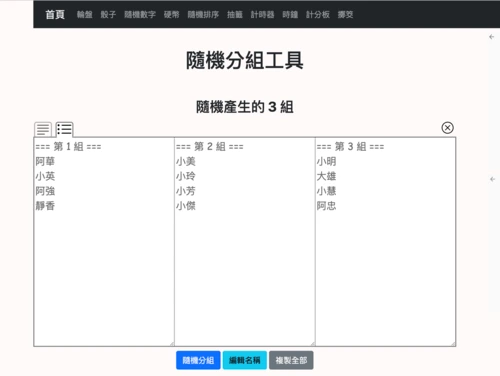
Online grouping tool | Toolbang random grouping tool
When you need to quickly and fairly divide a group of people into teams, this type of grouping tool is the most direct and convenient. Simply paste the list on, and the teams are immediately formed, without needing to recalculate the number of people on-site or repeatedly adjust the groups.
Operating steps:
- Open the tools page.
- Label the participants with their names.
- Enter the number of teams.
- Generate grouping results.
- Start the activity directly according to your group.
Who is it suitable for?
Board game sessions, welcome activities, group competitions, and emcees who need to immediately divide into teams.
Precautions
This tool supports editing lists, regrouping, copying results, and switching between different display formats.
If there are duplicates or omissions on the roster, the subsequent regrouping will disrupt the rhythm of the entire event.
👉 Access online grouping: ToolBang Random Grouping Tool
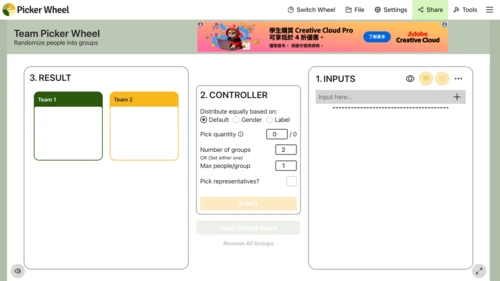
Online grouping tool | Team Picker Wheel
This tool is more suitable when the event process is more formal or when grouping rules require finer control. Whether it's dividing people into equal groups, limiting the number of people in each group, or selecting additional representatives, it can handle it all in one go.
Operating steps
- Import the participant list.
- Choose the average distribution method.
- Set the number of groups or the maximum number of people in each group.
- Start the group.
- Download the results as needed.
Who is it suitable for?
Activities with a large number of participants, a formal process, and the need for record keeping.
Precautions
This tool can be allocated based on the number of groups or the maximum limit per group, and can also be set to draw representatives, making it suitable for more formal event processes.
If you don't think through the grouping rules beforehand, you end up having to redo them after you've produced the results, which actually takes more time.
👉 Go to the online group: Team Picker Wheel
Multiplayer party games | Great for mid-game support and finishing touches
Truly effective multiplayer party games don't always rely on complex rules. Often, adding a dice-rolling task midway through the game or a bingo round at the end can significantly improve the flow of the game. The tools selected here are suitable for filling gaps, resolving awkward silences, and extending the game's lifespan, especially when you want to extend a party from 20 minutes to a more complete experience.
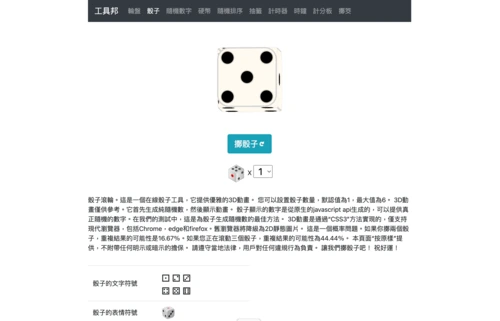
Party game recommendation | Toolbox Dice Rolling
In some situations, overly complex rules aren't necessary; a simple random result is enough to smoothly transition to the next round. Dice are excellent for assigning tasks, penalties, or bonuses, keeping the game flow smoothly during the middle round.
Operating steps
- Open the tools page.
- Choose the number of dice.
- Press the button to roll the dice.
- Tasks are performed, penalties are imposed, or points are awarded based on the points earned.
- Repeat the next round.
Who is it suitable for?
For users who want to design simple task-based games, fun party games, or water-drinking punishment games.
Precautions
- This tool comes with 1 or up to 6 dice and provides 3D animation, making it suitable for simple task-based or penalty-based gameplay.
- Without defining the rules for the dice rolls, you don't know what to do next after the dice are rolled.
👉 Head to the multiplayer party game: Toolbond Dice Roll
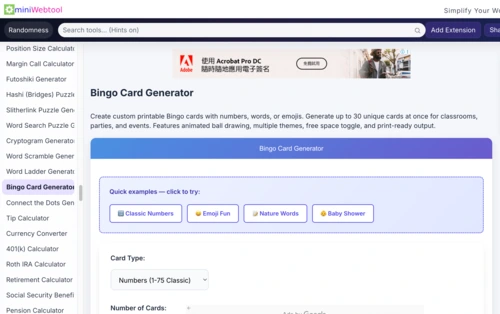
Party game recommendation|MiniWebtool Bingo Card Generator
If you want everyone to participate, rather than just a few people taking turns, bingo is usually a more reliable option. It's also easier to get everyone involved at birthday parties, welcome events, or company gatherings.
Operating steps:
- Open the tool.
- Choose numbers/custom text/emojis.
- Set the number and content of the cards.
- Generate a card.
- Start by selecting based on the ball draw or on-field events.
Who is it suitable for?
Family gatherings, birthday parties, welcome events, and company events.
Precautions
- This tool can generate bingo cards using numbers, custom words, and emojis, and supports creating up to 30 different cards at a time.
- The cards were made, but the content was too ordinary, lacked humor, and the rhythm easily became flat.
👉 Head to multiplayer party games: MiniWebtool Bingo Card Generator
The most fun party games: Truth or Dare, lucky draws, and group bingo – play them all in one go, and never let impromptu gatherings go cold.
To quickly get the party going, start with an online Truth or Dare game to warm things up, then use a lucky draw wheel to determine the order of appearance, gift exchange, or team formation. When there are many people, add group activities, dice games, and bingo; this will make the entire party more interactive and fun. You don't need to prepare too many props; you can quickly start playing even if you're just organizing a party. Readers will find it easier to find practical and fun party games and recommendations.